
















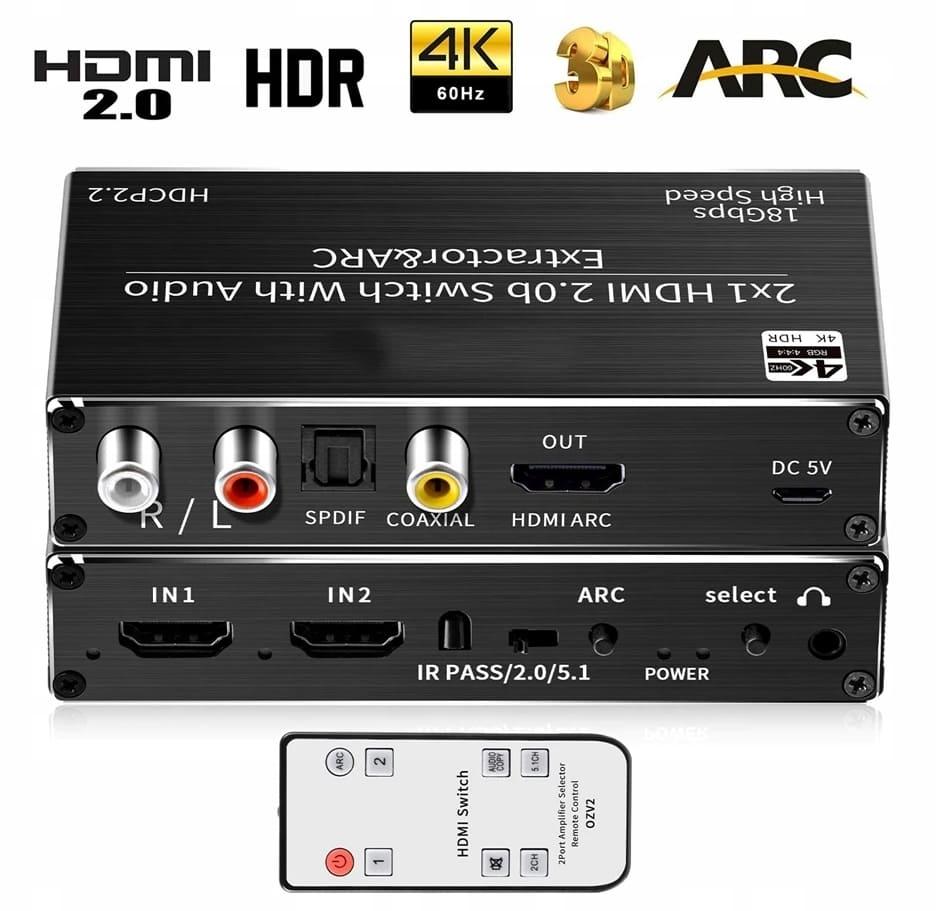

HDMI Switch 2x1 with Audio Extractor for 4K HDR
- Type: 2x1 HDMI switch with audio extractor
- Inputs: 2 x HDMI 2.0
- Video output: 1 x HDMI 2.0 with ARC
- Audio outputs: Optical Toslink, coax SPDIF, RCA L/R, 3.5 mm headphone output
- Video: 4K 60Hz with HDR, HDCP 2.2
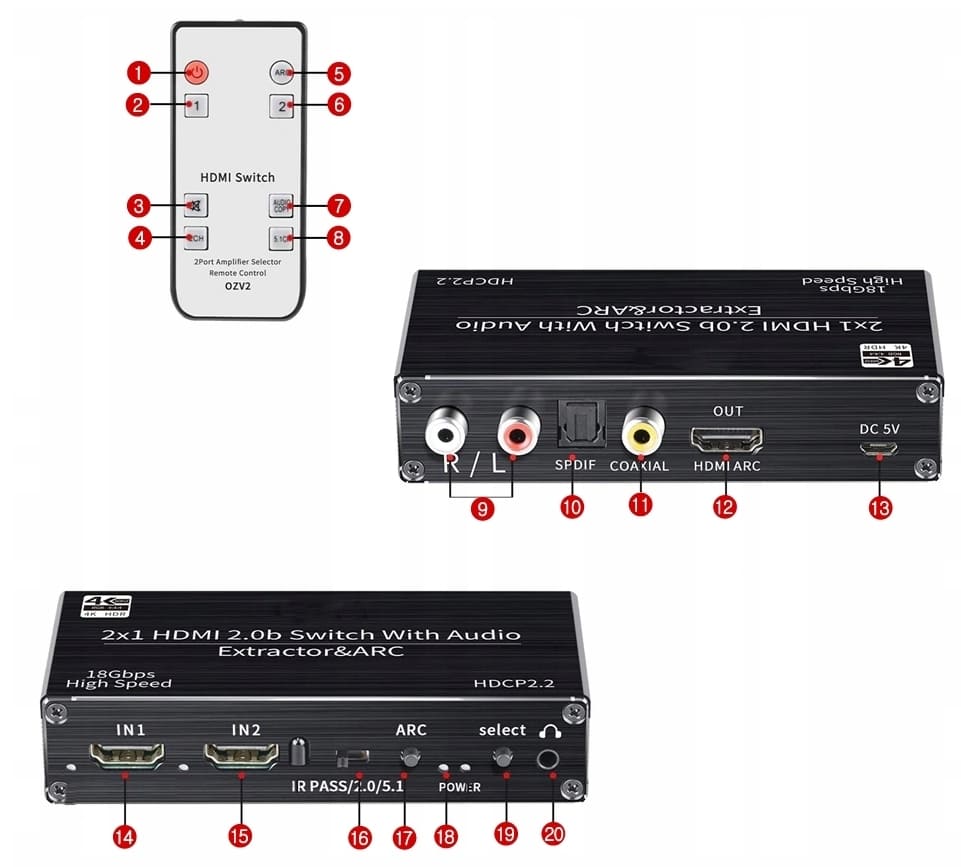
- Control: Buttons on the switch and remote control
This HDMI switch connects two HDMI sources to a single HDMI input on the TV or projector and extracts the audio from the HDMI signal at the same time. Audio goes on digitally via optical Toslink or coax SPDIF to a receiver or soundbar, or in analogue via RCA to an amplifier.
We have tested the switch with a projector and a Chromecast, with audio from the Chromecast going straight to the home cinema amplifier. It is simple to connect and works as it should. The housing is all metal and shielded against electrical interference (EMI/RF).
Why home cinema enthusiasts choose an HDMI switch with audio extractor
Many projectors, TV sticks and older TVs lack a proper audio output. The switch solves this by extracting the audio before the picture reaches the screen, so a Chromecast, games console or media player can play through the home cinema system or soundbar. Video passes through in 4K 60Hz with HDR at up to 18 Gbit/s, and the switch supports HDCP 2.2, which most HDMI 2.0 sources require.
The source is selected with the buttons on the switch or with the remote, and the switch changes automatically to a source that is turned on.
How the HDMI switch is connected in a home cinema
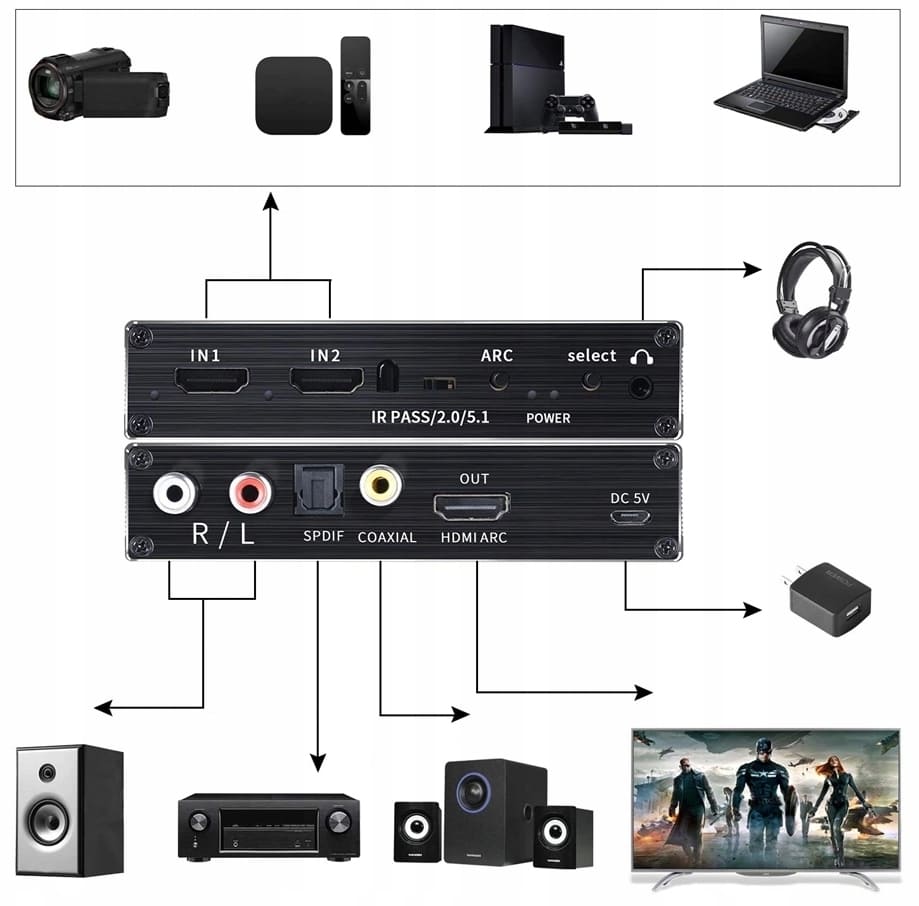
The sources connect to HDMI 1 and HDMI 2, and the HDMI output goes to the TV or projector. Audio is taken from whichever output suits the sound system. Typical setups:
- projector with Chromecast or another TV stick, audio to a home cinema receiver via optical or coax
- older TV with only an HDMI input, audio to a soundbar
- games console and media player on one TV input, audio to a stereo amplifier via RCA
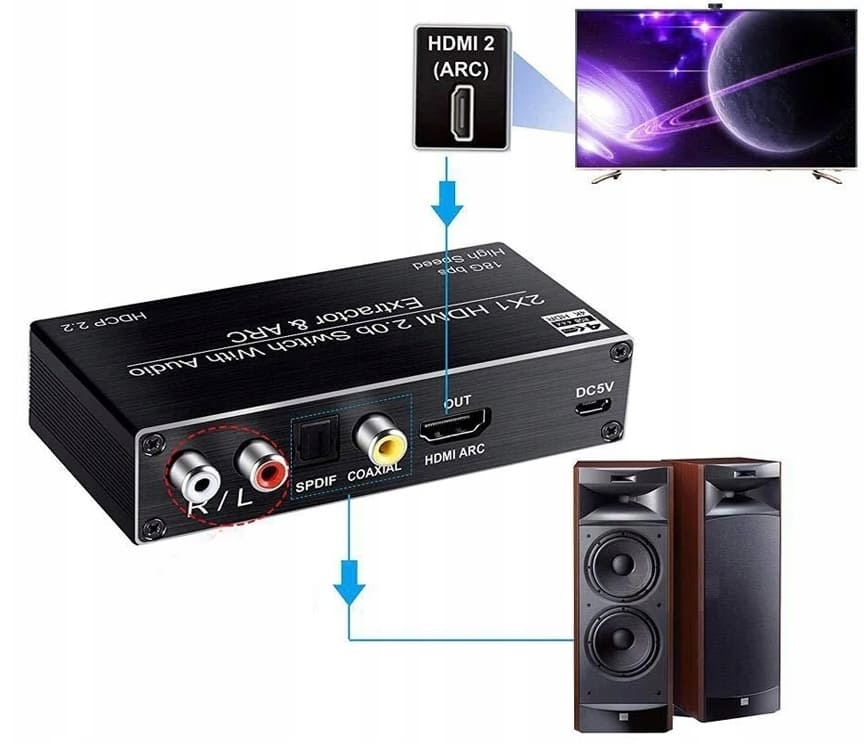
- ARC mode, sending the TV's own audio back to the sound system
Technical Specifications
| Brand | Pawonik |
| Inputs | 2 x HDMI 2.0 |
| Outputs | 1 x HDMI 2.0 (ARC), 1 x optical Toslink, 1 x coax SPDIF, 2 x RCA L/R, 1 x 3.5 mm |
| Resolution | 4K 2160p 60Hz HDR, 1080p, 720p and lower |
| Bandwidth | Up to 18 Gbit/s |
| Copy protection | HDCP 2.2 |
| Colour formats | Deep colour 30/36/48 bit, xYCC601, Adobe RGB, Adobe YCC601, xvYCC |
| Audio formats | DTS-HD, Dolby TrueHD, LPCM 192 kHz, DTS |
| Audio modes | 2.0 / 5.1, ARC on/off |
| Power | Micro USB 5 V |
| Housing | Metal, shielded (EMI/RF) |
| Marking | CE |
Package contents
- HDMI switch with audio extractor
- Remote control with CR2025 battery
Chosen by: Home cinema enthusiasts, projector owners, gamers and Chromecast and TV stick users who want audio through an external system.
Found in: Home cinema rooms, living rooms with projectors, gaming setups and meeting rooms with projectors and sound systems.
Frequently Asked Questions (FAQ)
Does the Pawonik 2x1 HDMI switch output surround sound through the RCA outputs?
No, the RCA outputs on the Pawonik 2x1 HDMI switch are analogue stereo (L+R). Surround sound such as 5.1, DTS and Dolby is taken digitally via optical Toslink or coax SPDIF to a receiver with a decoder. The audio mode is set with the 2.0 or 5.1 switch on the unit.
Does the TV need to be on for the HDMI switch to output audio?
No, the Pawonik 2x1 HDMI switch extracts audio even when the TV or projector is switched off. With a Chromecast connected, you can listen to music through the home cinema system and control playback from your phone. The switch runs on 5 V via micro USB. If the TV's USB port switches off with the TV, power the switch from a separate USB adapter instead, which is not included.
How does this HDMI switch with audio extractor differ from a standard HDMI switch?
A standard HDMI switch only changes between sources and passes picture and sound on to the screen. This 2x1 HDMI switch also extracts the audio to optical, coax, RCA and 3.5 mm outputs and has an ARC mode, so sound can go to an amplifier or soundbar even when the screen has no audio output of its own.